
-
PLA Tri - Golden / Blue / Copper
Vendor:Supplier 3Regular price $24.99 AUDRegular priceUnit price perinc GSTSale price $24.99 AUD -
PLA Tri - Red / Blue / Green
Vendor:Supplier 3Regular price $24.99 AUDRegular priceUnit price perinc GSTSale price $24.99 AUD -
PLA Tri - Red / Golden / Purple
Vendor:Supplier 3Regular price $24.99 AUDRegular priceUnit price perinc GSTSale price $24.99 AUD -
PLA Tri - Red / Yellow / Blue
Vendor:Supplier 3Regular price $24.99 AUDRegular priceUnit price perinc GSTSale price $24.99 AUD

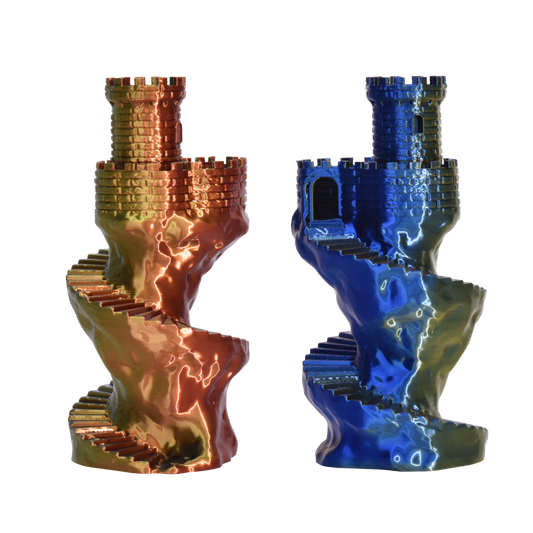

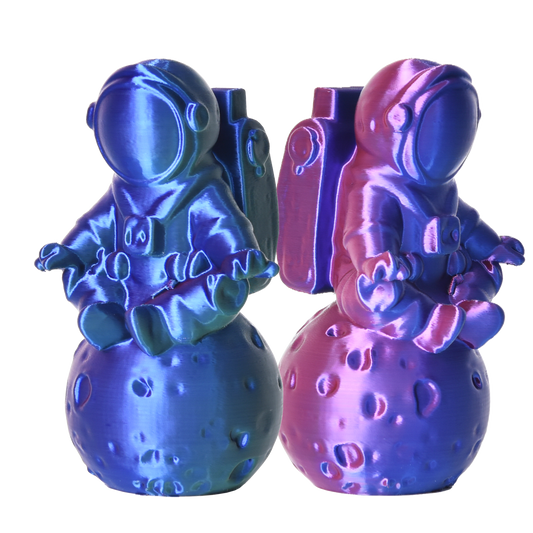

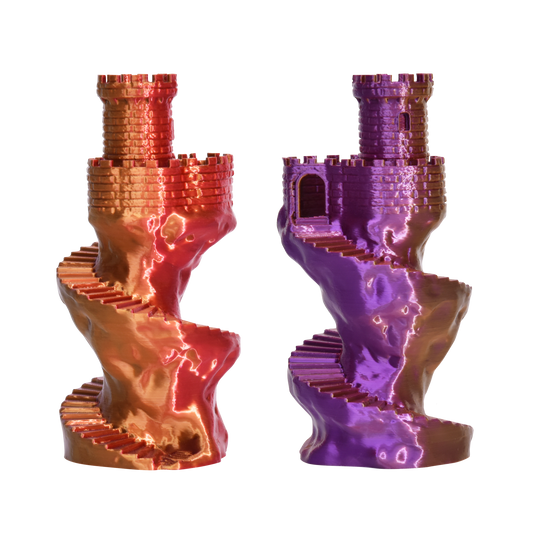

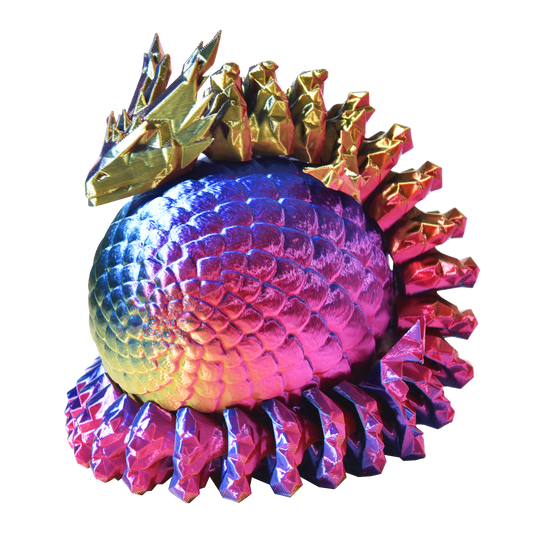
Why Choose PLA Tri Colour?
- Three-colour shifting effect from a single, standard spool
- Adjacent colours blend into rich intermediate tones — every print is unique
- Glossy silk finish straight off the printer, no painting or post-processing
- Prints with standard PLA settings, smooth extrusion, strong layer adhesion
What Models Print Best in Tri Colour?
The effect depends on face angles — the more a model's surfaces curve and turn, the more of all three colours you see. Best results come from:
- Spiral vases and geometric vase-mode prints
- Articulated dragons and organic fantasy sculpts
- Low-poly models and faceted designs
- Cosplay props, display pieces, and desk decor
Tri Colour vs Dual Silk vs Rainbow — Which One?
Tri Colour shows three tones at once that shift face to face, with more blending between them. Dual Silk gives the sharpest two-colour separation and contrast. Rainbow changes colour gradually along the print instead of by viewing angle, so bigger prints show more of the spectrum. Want maximum colour variety on one model? Tri Colour is the pick — or compare real prints in our Filament Photo Comparison.
Printer Compatibility & Settings
Our 1.75mm PLA Tri Colour filament prints on most FDM printers including Bambu Lab, Prusa, and Creality Ender at standard silk PLA settings (190–220°C). Our sample photos are printed on Bambu Lab X1C, P2S and H2C machines with 3 walls at 0.16mm layer height — extra walls deepen the colour, and slightly hotter and slower brings out more sheen.
Explore More Multicolour PLA
Looking for different effects? Try PLA Dual Silk filament for high-contrast two-tone prints, PLA Dual Matte for a soft, non-reflective finish, or PLA Rainbow filament for continuous gradients. You can also browse the full PLA filament range.